10% off all orders, automatically applied at checkout.
Special sale runs from Nov 1, 2026 @ 09:00PM to Nov 30, 2026 @ 11:59PM PST
A Comprehensive Guide to Event Audio
By David Caulwell
Oct 16, 2026, updated Nov 2, 2026
Everyone needs to hear my presenter, where do I start?
One of the first questions we get asked is how they can ensure everyone can hear their presenters. Good or poor audio can make or break your event. You've chosen a venue, you have your presenters set, maybe you have a band or DJ, but how can you know you have the right setup for everyone in your audience to hear well?
The best approach is to engage a sound designer. A professional sound designer can tell you exactly what you need based on your specific needs. Questions the designer will ask include:
What are you trying to accomplish?
What is the size of the room?
Can we hang speakers?
How many people will be speaking and will there be multiple speakers at a time?
Do you have a DJ or band scheduled?
Are there video rolls that sync with the audio?
Will it be recorded?
Is there a remote audience?
What is your target budget range?
Our audio team will work with you to solve all of those questions so that no matter where someone is sitting, they can clearly hear everything that is happening from your presentation.
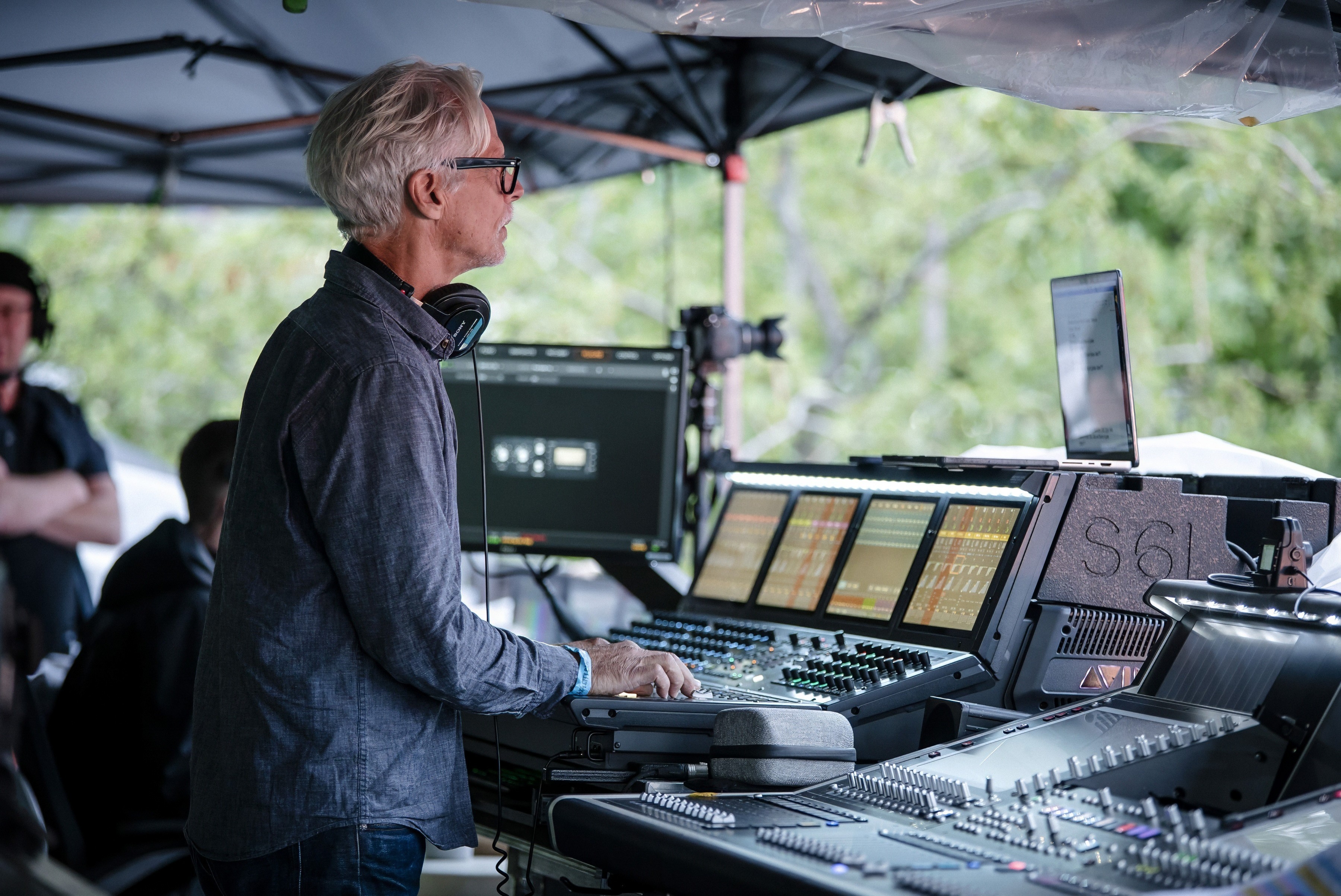
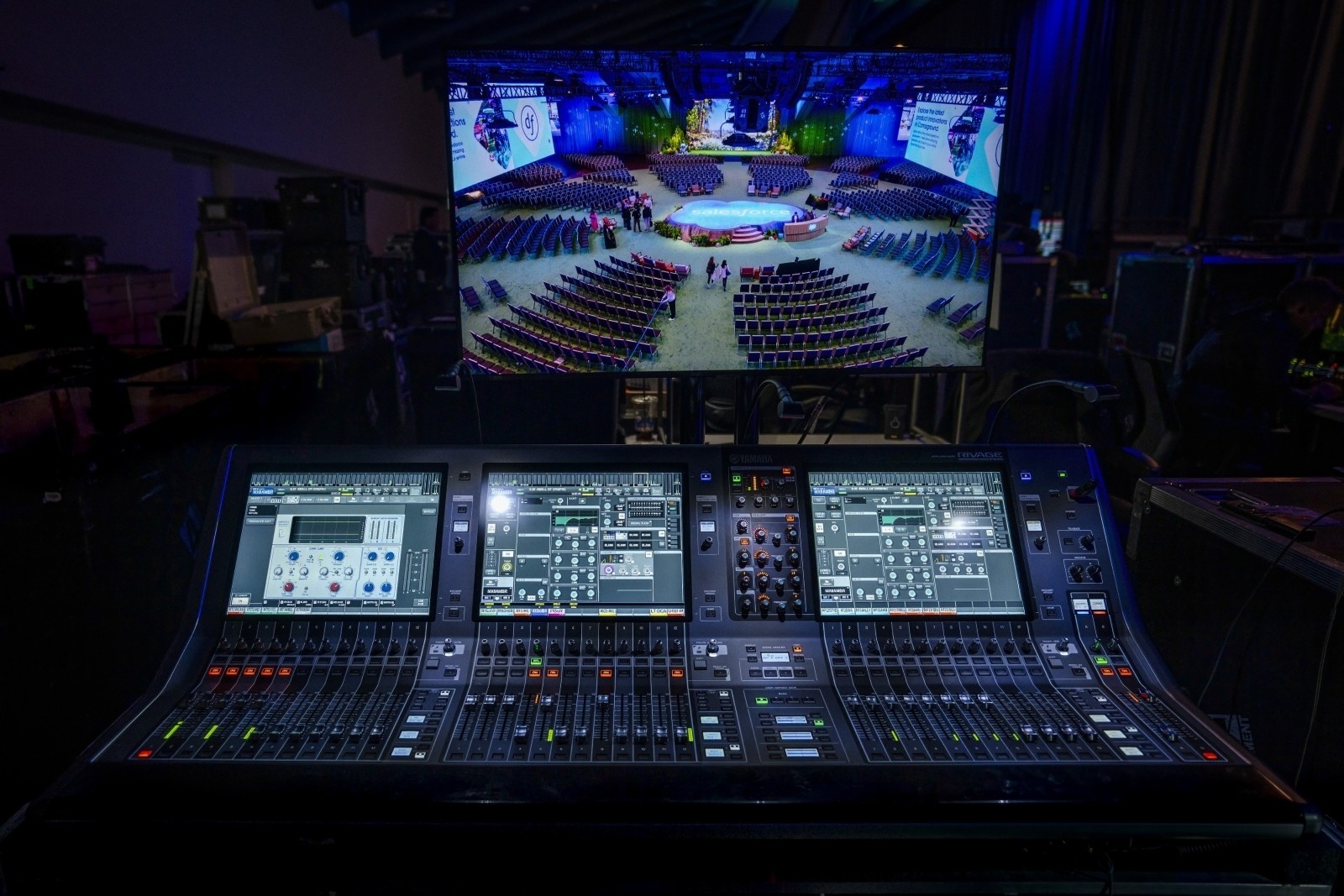
FOH (Front of House) mixing is what the audience hears. The FOH engineer sits at a mixing console positioned in the audience area (typically center, about two-thirds of the way back) and controls the overall sound mix being sent to the main speakers. Their job is to make the event sound great for every person in the audience.
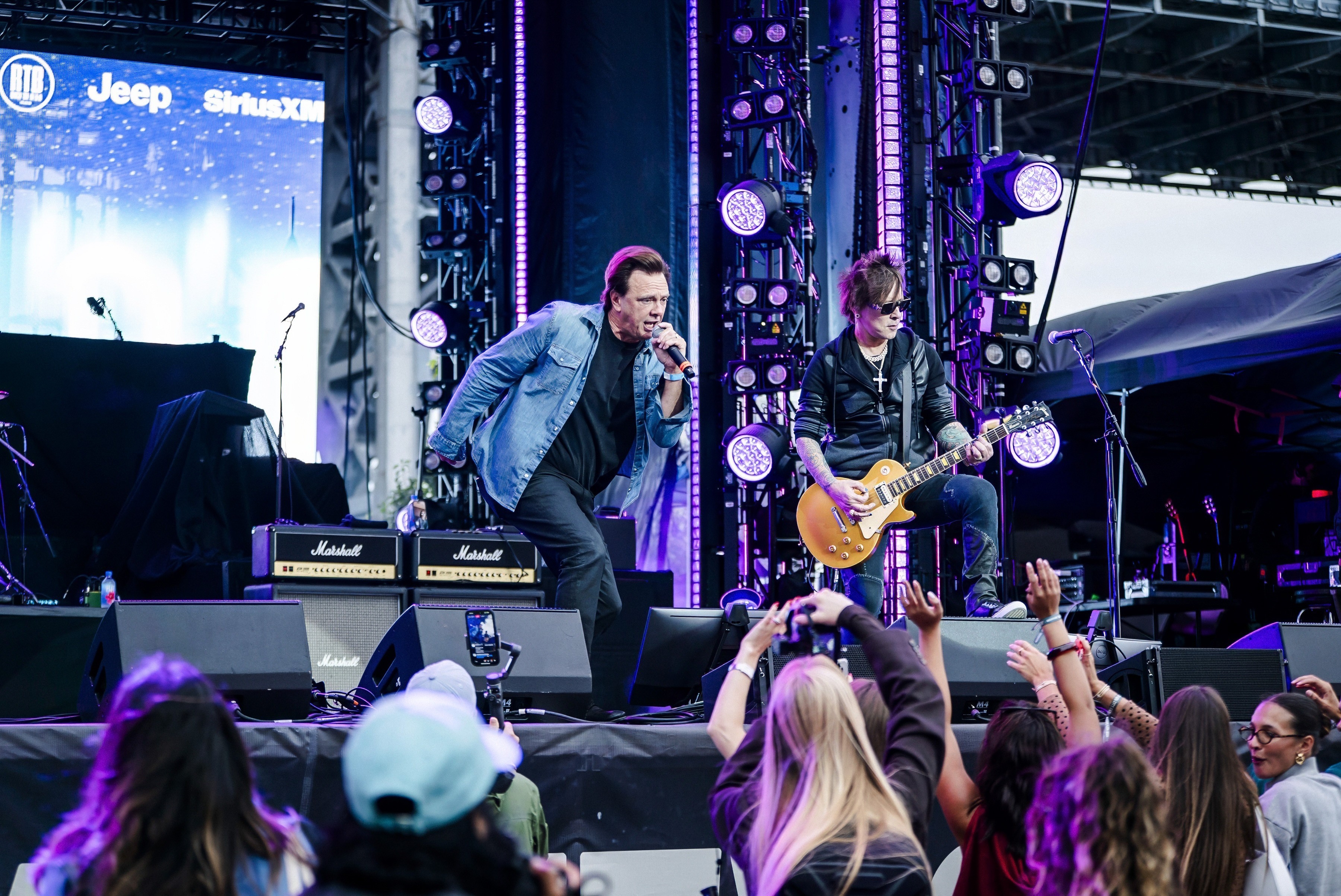
Monitor mixing controls what the performers hear on stage. Performers need to hear themselves and other musicians or presenters to stay in sync, but the stage is a different acoustic environment than the audience area. A monitor engineer creates separate mixes for each performer, sent through stage wedge monitors or in-ear monitor systems. Large concerts and theatre productions typically have a dedicated monitor engineer. Smaller corporate events usually don't need one because stage monitoring requirements are simpler.
Sound system sizing depends on audience size, room acoustics, ceiling height, stage layout, and whether the event is speech-only or includes music. As a rough starting point: a breakout room or small meeting (under 100 people) can typically be served by a pair of powered speakers on stands. A general session in a hotel ballroom (200-1,000 people) usually requires a flown or stacked speaker system with dedicated subwoofers and potentially delay speakers for the back of the room. A concert or festival with 1,000+ attendees requires a line array system designed and tuned by a system engineer.
The key variable isn't just volume. It's coverage: ensuring every seat in the audience hears the same clarity and level. This is why a system engineer designs the speaker layout rather than just pointing speakers at the crowd. 4Wall designs systems from Meyer Sound, L-Acoustics, Electro-Voice, and JBL to deliver clear, even coverage for any room size.
How many speakers do I need and where should they be placed?
Speaker count and placement are driven by room geometry and audience coverage, not a simple formula. A narrow, deep ballroom might need a pair of main speakers plus rear delay speakers to reach the back rows evenly. A wide room might need wider speaker coverage or additional side fills. Rooms with balconies often need under-balcony fills to cover shaded areas.
The goal is even SPL (sound pressure level) throughout the audience, meaning the people in the back row hear at roughly the same clarity and volume as the people in the front. Delay speakers are positioned further back in the room and time-aligned to the main system so that sound arrives at the listener's ears without echo or smearing. A system engineer handles this design and tuning process.
What is the difference between powered and passive speakers?
Powered (active) speakers have built-in amplifiers and processing, which means you connect an audio signal and power cable directly to the speaker and it's ready to go. They're simpler to deploy, require fewer external components, and are commonly used for smaller events, breakout rooms, background music, and quick setups where minimal rack gear is preferred.
Passive speakers require external amplifiers and often external processing (crossovers, limiters). This adds complexity but provides more scalability and fine-grained control over the system. Large-format line arrays and concert PA systems are typically passive, driven by dedicated amplifier racks that can be tuned and managed by a system engineer. For most large-scale productions, passive systems are the standard.
What is the difference between a line array and a point source speaker?
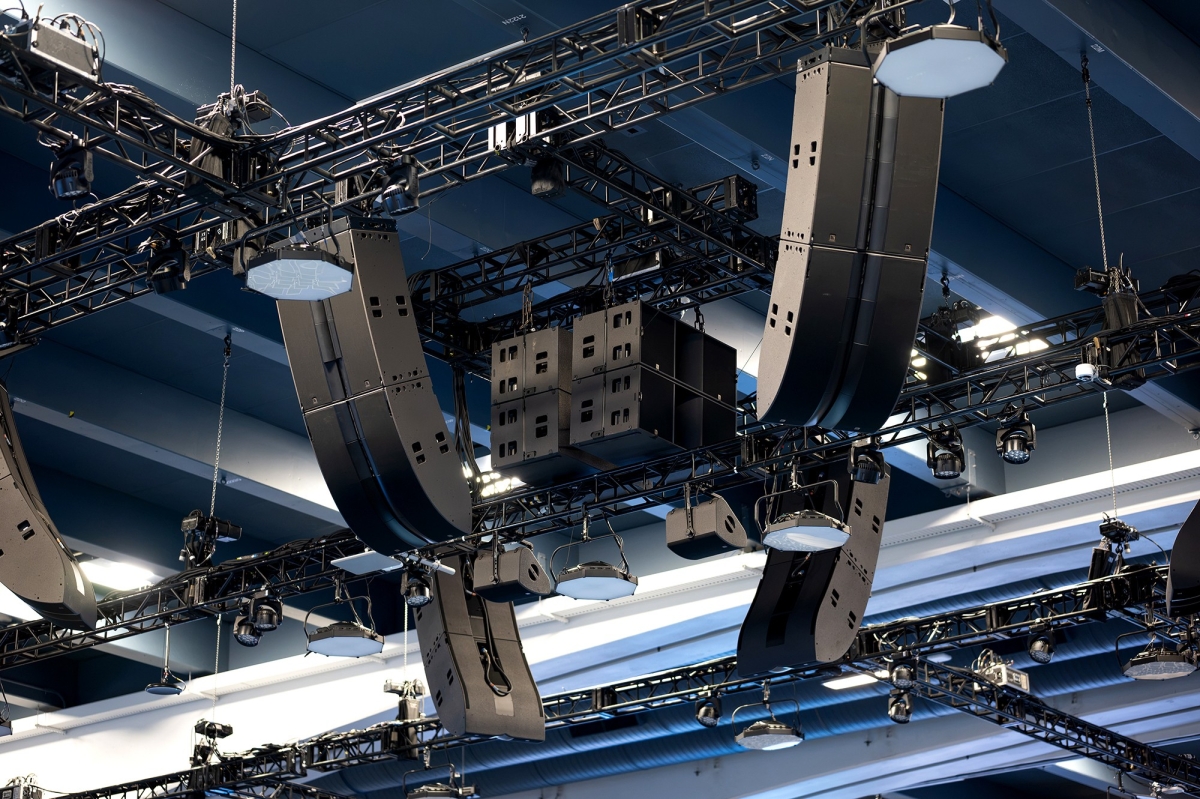
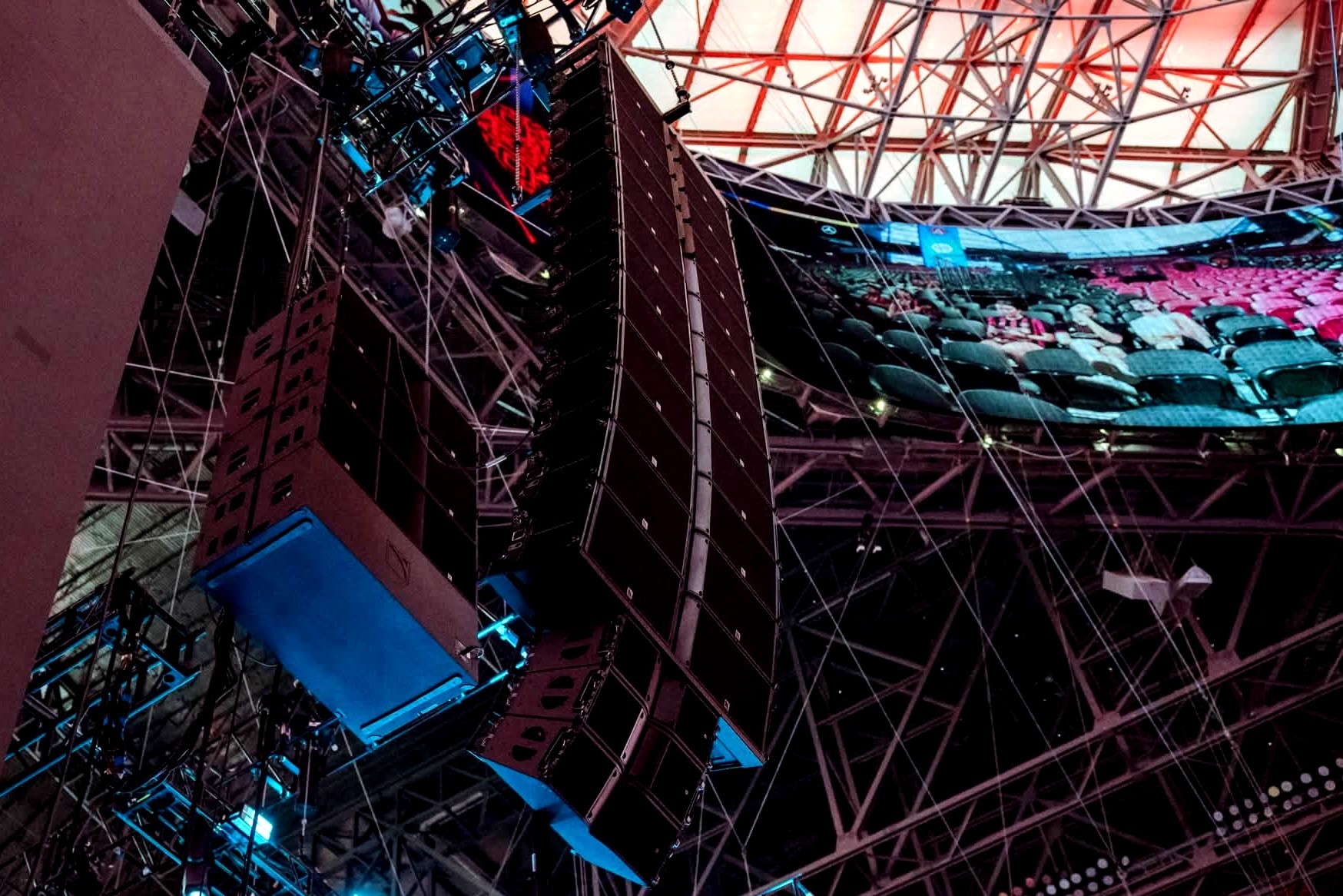
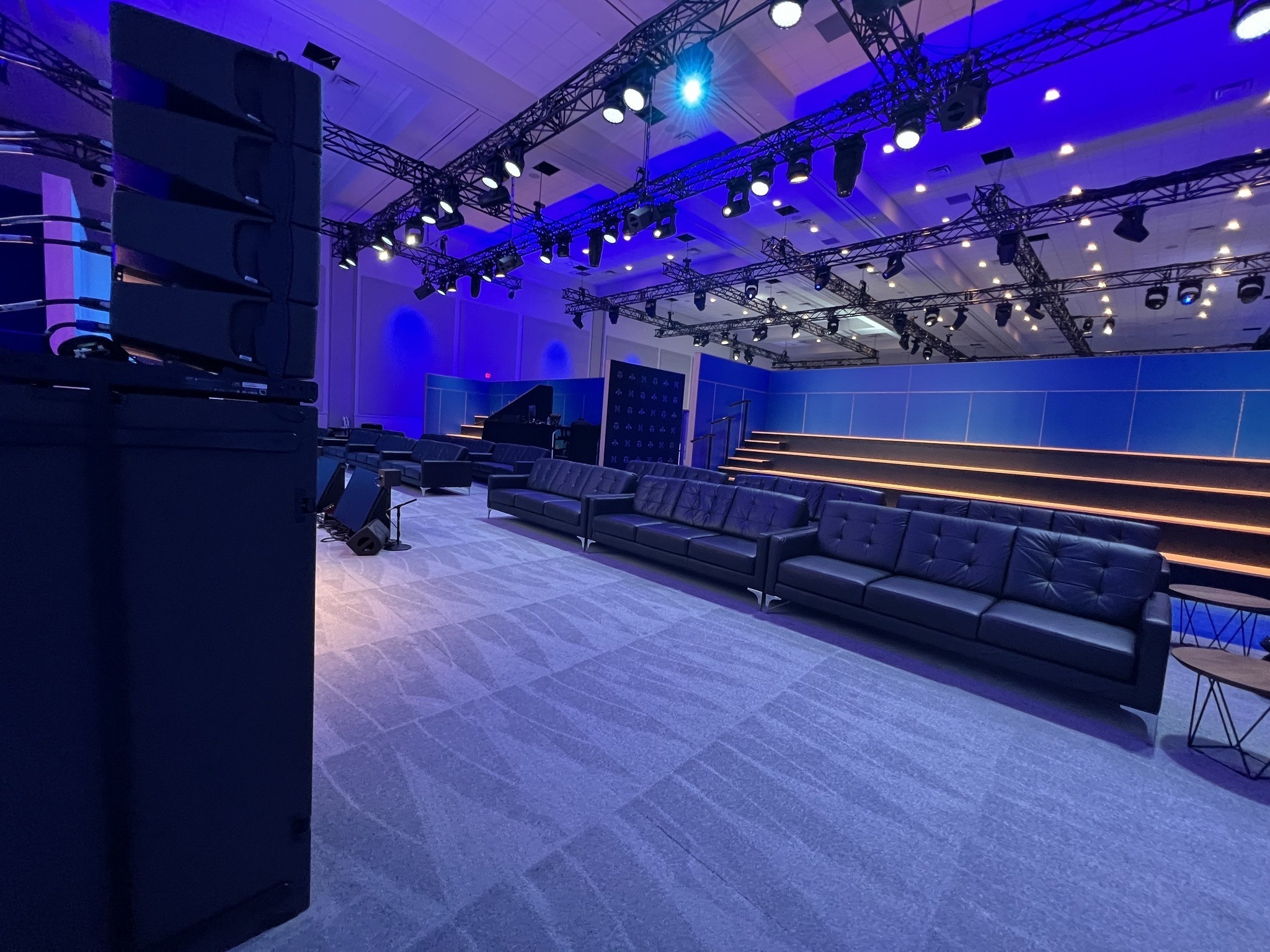
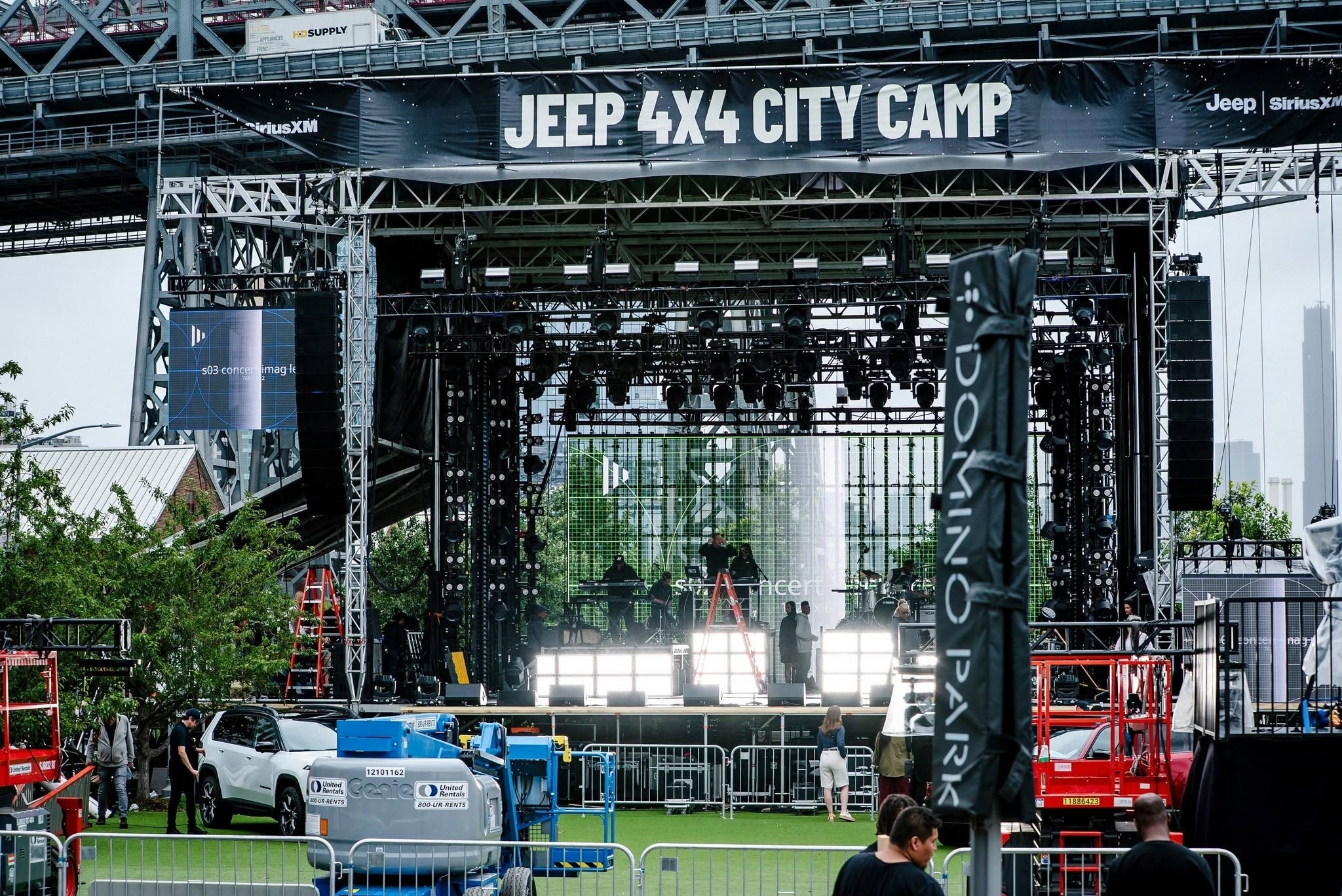
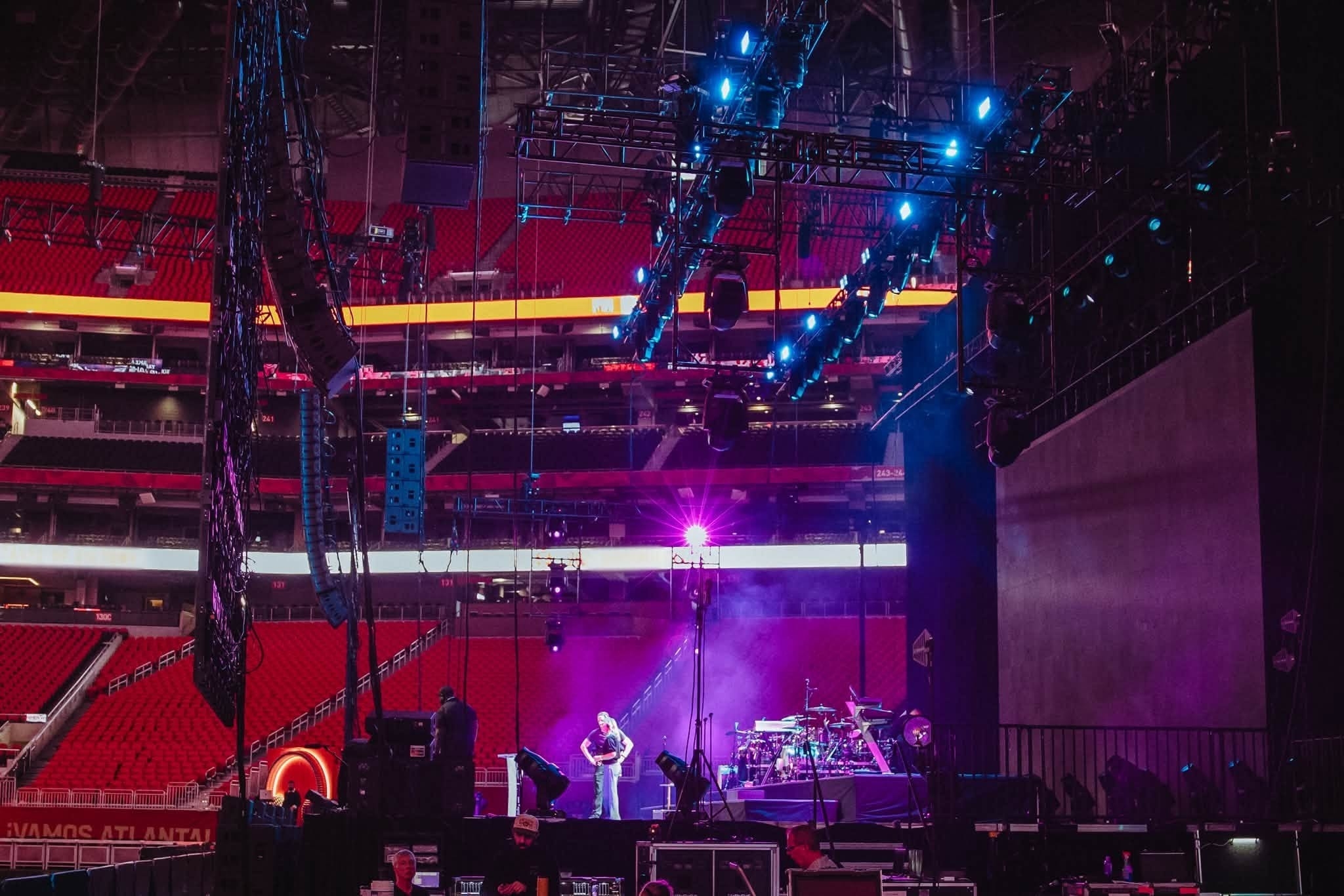
A line array is a system of multiple speaker cabinets rigged vertically in a curved column. Each cabinet covers a specific vertical slice of the audience, and the combined array delivers consistent volume and clarity from the front row to the back of a large venue. Line arrays are the standard for concerts, festivals, large general sessions, and any event where the audience extends deep into a room.
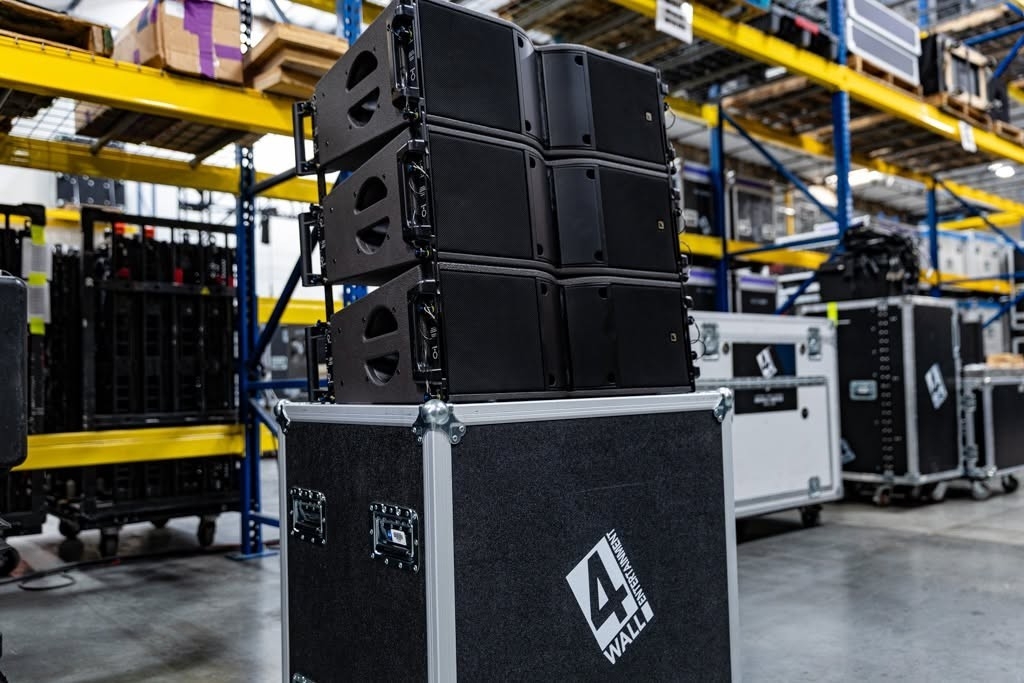
A point source speaker is a single cabinet (or a pair) that radiates sound from one location. Point source systems work well for smaller rooms, side fills, under-balcony delays, and distributed audio throughout a venue. They're simpler to deploy but don't project as evenly over long distances as a properly configured line array.
Subwoofers reproduce low-frequency bass content that standard full-range speakers can't deliver on their own. They're recommended for any event with music: concerts, DJs, walk-in and walk-out music, awards shows with high-energy video playback, and after-party environments where bass impact matters.
For speech-only events like panel discussions, shareholder meetings, or presentations, subwoofers are generally not necessary. The human voice doesn't require deep bass reproduction, and adding subwoofers to a speech-only system can actually introduce problems like low-frequency rumble from HVAC or foot traffic. If your event transitions between speech and music (a common corporate format), a system with subwoofers that can be brought in for the music portions is a smart approach.
Can I put speakers on the ground, or do they need to hang from the ceiling?
Both options are common and each has practical advantages. Ground-stacked speakers sit on the floor or on a riser, often on top of subwoofer cabinets. This approach works well for smaller setups, venues without rigging points, and situations where fast setup and teardown matter. The tradeoff is that ground-stacked speakers can be partially obstructed by the audience in front of them.
Flown (hung) systems are suspended from rigging points above the audience using chain motors and rated hardware. Flying the speakers gets them above head height, which provides better coverage with less obstruction and delivers clearer sound to the back of the room. For larger audiences and higher-production events, flown systems are almost always preferred. Speaker placement ultimately depends on room size, ceiling height, rigging infrastructure, sightlines, and safety requirements.
Delay speakers (also called distributed speakers or fill speakers) are additional speakers placed further back in the room, away from the main system. They reinforce the sound for audience members who are too far from the main speakers to hear clearly. Without delays, people in the back of a deep ballroom or large venue experience reduced volume and clarity, especially for speech content.
The critical detail is timing. Delay speakers are electronically time-aligned to the main system so the sound arrives at the listener's position in sync, preventing echo or smearing. The system engineer calculates the distance from the main speakers to each delay position and adds a corresponding digital delay to match. Any event where the audience extends more than about 80-100 feet from the main speakers should be evaluated for delays.
An audio mixing console (also called a mixer, desk, or board) is the central control surface where the audio engineer manages every input and output in the system. Each microphone, instrument, playback source, and audio feed connects to a channel on the console. The engineer adjusts level, EQ, compression, effects, and routing for each channel, then blends them into the main mix that feeds the speakers.
Modern professional consoles are digital, which means they process audio internally using DSP (digital signal processing) rather than analog circuitry. Digital consoles offer scene recall (the ability to save and load complete console settings), extensive built-in effects, flexible routing, and the ability to manage hundreds of channels in a compact footprint. The dominant professional console platforms include DiGiCo, Yamaha, Avid, Allen & Heath, and Midas. 4Wall stocks digital consoles from these manufacturers in its audio rental inventory.
What is the difference between stage monitors and in-ear monitors?
Stage monitors (wedges) are speakers placed on the stage floor angled up toward the performers. They project the monitor mix into the stage area so performers can hear themselves. Wedges are simple, reliable, and familiar, but they add volume and potential feedback to the stage environment.
In-ear monitors (IEMs) are personal earpieces connected to a wireless bodypack receiver. Each performer gets a custom mix delivered directly into their ears. IEMs offer dramatically better isolation, reduce stage volume, eliminate monitor-related feedback, and allow performers to hear detail that wedges can't deliver in a loud stage environment. The tradeoff is higher cost, more RF channels to coordinate, and the need for well-built individual mixes to avoid the "isolated in a bubble" feeling some performers dislike. For concert touring and large-scale productions, IEMs are the standard.
What is the difference between mono and stereo sound for live events?
Mono sound sends the same audio signal to all speakers, so every person in the audience hears the same mix regardless of where they're seated. This is ideal for speech-focused events like conferences, keynotes, and panel discussions, where intelligibility matters more than spatial imaging.
Stereo sound splits the mix into left and right channels, creating a wider, more immersive soundstage. Stereo is preferred for music, video playback, and entertainment-driven events where spatial separation adds realism. The tradeoff is that people seated far to one side may hear a lopsided mix. Many events use a hybrid approach: mono for speech segments and stereo for music and video.
Microphone count depends on the number of simultaneous presenters, panelists, performers, and audience interaction points. A typical corporate keynote might need 2-4 microphones (a lavalier for the presenter, a handheld for Q&A, a backup, and possibly a podium mic). A panel discussion with five panelists and a moderator needs at least six. Add audience Q&A mics if attendees will ask questions from the floor.
For concerts and live music, the count increases significantly: drum kits alone can require 8-12 microphones. A full band with vocals, instruments, and choir can easily require 30+. Your audio engineer will build a microphone plot based on the full program and input list.
Should I use a lavalier, handheld, or headset microphone?
Each type has specific strengths. Lavalier (lapel) microphones clip to the presenter's clothing and are hands-free, making them the standard for corporate keynotes, TED-style talks, and any presentation where the speaker needs to use their hands or move freely. The tradeoff is that audio quality depends heavily on placement, and clothing rustle or movement can introduce noise.
Handheld microphones offer the best overall sound quality and reliability because the capsule stays at a fixed distance from the mouth. They're ideal for Q&A sessions, award presentations, guest speakers, and any situation where the mic passes between multiple people.
Headset (earset) microphones wrap around the ear and position the capsule near the corner of the mouth. They offer the best clarity and level consistency because the mic moves with the speaker's head. They're the standard for theatre, high-energy presenters, live demos, fitness instructors, and any scenario where the speaker is physically active. The visual profile is more noticeable than a lavalier.
What is the difference between intercom and walkie-talkies?
Intercom provides full-duplex, always-on communication, similar to a phone call. Multiple people can listen and talk simultaneously without pressing a button. This is essential for show calling, where the stage manager needs to give cues and receive confirmation from multiple departments in real time.
Walkie-talkies (two-way radios) are half-duplex and push-to-talk: only one person can speak at a time, and everyone on the channel hears the same transmission. Walkies are useful for logistics, security, and operations teams who need intermittent communication, but they're not suitable for live show calling because the push-to-talk limitation makes real-time coordination too slow and unreliable.
RF coordination is the process of scanning the local wireless spectrum, identifying available frequencies, and assigning clean frequencies to every wireless microphone and in-ear monitor in your event. It prevents interference, dropouts, and crosstalk between devices.
You need dedicated RF coordination for any event with more than a handful of wireless microphones, especially in dense RF environments like convention centers, downtown venues, arenas, or any location where other productions are operating simultaneously on nearby frequencies. Even a corporate event in a hotel can have RF conflicts from other ballroom events, in-house AV systems, or nearby cell towers. For events with 10+ wireless channels, RF coordination should be a line item in the production plan, not an afterthought.
What is a production intercom system and how does it work?
A production intercom (comms) system is the communication backbone that connects the stage manager, audio, video, lighting, and other production departments during a live event. It allows the show caller to give cues and the technical team to coordinate in real time without the audience hearing any of it.
Intercom systems use two main station types. Panels are desktop stations placed at fixed positions like FOH, backstage command, or the lighting console. Beltpacks are wearable units with headsets used by crew members who need to move around the venue. Both can be wired (connected by cable to a central intercom station) or wireless (using radio frequency to communicate without cables).
What are the different audio crew positions and do I need them?
Audio crew size scales with event complexity. The core positions are:
A1 (Lead Audio Engineer / FOH Engineer): The person at the front-of-house mixing console who mixes the event in real time. They're responsible for the overall sound the audience hears. Every event with a sound system needs an A1.
A2 (Audio Technician): Supports microphone deployment, patching, backstage audio, and troubleshooting during the show. The A2 handles the physical setup and is the person backstage making sure every presenter's mic is on, working, and routed correctly.
System engineer: Designs the speaker system, configures amplifiers and processing, tunes the system to the room acoustics, and ensures even coverage. System engineers are needed for larger events with line arrays or multi-zone audio.
RF Coordinator: Manages wireless microphone and in-ear monitor frequencies to prevent interference and dropouts. Essential for events with high wireless counts or dense RF environments (convention centers, downtown venues).
Comms Technician: Builds and manages the production intercom system that connects the stage manager, audio, video, lighting, and other departments during the show.
An A1 and A2 can handle most small to mid-size events: a single-room corporate presentation, a panel discussion, a gala with speeches and walk-in music. The A1 mixes the show while the A2 manages mics, patching, and backstage audio.
You need additional crew when the production includes: a large wireless microphone count (10+) that requires dedicated RF coordination; multiple rooms running simultaneously (breakout sessions, overflow rooms); broadcast feeds, livestream, or recording that need dedicated mix outputs; complex stage movement with quick mic changeovers between segments; or a concert-scale production with monitors, in-ears, and a full band input list. At that point, a dedicated monitor engineer, system engineer, RF coordinator, and/or broadcast mixer each become necessary to maintain quality.
How do you avoid lip-sync issues when the presenter is on a large screen (IMAG)?
Lip-sync problems happen when the video processing chain introduces latency (delay). The camera captures the presenter, the signal is processed through a switcher or scaler, and by the time the image reaches the IMAG screen, it's anywhere from 1-5 frames behind the live audio. The audience sees the presenter's mouth move on screen a split second after they hear the words, which is distracting and looks unprofessional.
The fix is to add a matched delay to the audio signal so it arrives at the audience's ears at the same time as the video image appears on screen. The audio engineer coordinates with the video team to measure the exact video processing delay (usually in milliseconds), then applies a corresponding audio delay. This synchronization must be rechecked whenever the video signal chain changes during the event.
Do I need a soundcheck, and how long does it take?
Yes. A soundcheck is one of the most important steps in event production and should never be skipped. It's the only opportunity to verify that every microphone is working, audio playback sources are routed correctly, monitor mixes are right for the performers, and the system is tuned for the room. Problems caught during soundcheck are routine fixes. The same problems discovered during the show are visible failures.
Timing depends on complexity. A simple corporate event with a few microphones and playback can be sound-checked in 30-45 minutes. A full concert with a band, multiple monitor mixes, in-ear monitors, and playback can take 1-2+ hours. Factor soundcheck time into your production schedule and make sure presenters or performers are available for their checks. The sound engineer can pre-check the system before talent arrives, but final checks require the actual people who will be on stage.
What do I need to connect audio to livestream, recording, or broadcast?
Connecting audio to video, livestream, or recording requires dedicated output feeds from the audio console that are separate from the main house mix. The house mix is optimized for the live audience in the room; a broadcast or recording mix often needs different levels, less reverb, and a tighter, more intimate balance.
This typically requires a dedicated broadcast mix (sometimes called a clean feed or ISO mix), proper cabling and signal routing between the audio console and the video/streaming platform, and coordination with the video team on timing to avoid lip-sync issues. For events with a livestream or recording component, build this into the plan from the start rather than trying to add it as an afterthought. It affects console selection, staffing (a dedicated broadcast mixer may be needed), and signal routing.
How do we prevent feedback during speeches or panels?
Feedback occurs when a microphone picks up the sound coming from a nearby speaker, creating a loop that escalates into a squeal or howl. Prevention starts with proper speaker placement: the main speakers should be positioned in front of the microphones (not behind them) so the mics don't "hear" the PA system. This is the single most important factor.
Beyond placement, feedback prevention involves microphone selection (choosing directional mics that reject sound from the sides and rear), EQ tuning (notching out the specific frequencies where feedback wants to occur), and good gain structure (setting levels correctly so the system isn't working harder than it needs to). On a panel with multiple microphones, keeping unused mics muted or using an automatic mixer that attenuates inactive channels is critical. An experienced audio engineer manages all of this in real time during the event.
How do I get started with renting audio equipment for my event?
Start by defining your event type, venue, audience size, and program content (speech, music, or both). From there, browse 4Wall's audio rental inventory to see available speaker systems, microphones, consoles, and accessories, or go directly to requesting a quote or contacting the 4Wall team. 4Wall's audio division provides full-service event audio including system design, engineering, crew, and equipment from Bolero, Meyer Sound, L-Acoustics, Electro-Voice, JBL, DiGiCo, Yamaha, and more, across offices nationwide.
What should I tell my audio vendor before an event?
The most useful information for your audio team upfront: venue name and room dimensions (or a floor plan), expected audience size, whether the event is speech-only or includes music/entertainment, the full program schedule (including transitions and segment types), the number of presenters and their microphone preferences, whether there's a livestream or recording component, and any known venue restrictions (noise ordinances, rigging limitations, union labor requirements).
Also share the power situation (available circuits, generator needs) and whether other vendors are sharing the same power supply. The more your audio team knows early, the more accurately they can spec the right gear and crew. A tentative schedule or draft floor plan is better than waiting until everything is final.
We use cookies to improve your experience on our site and to enhance and personalize your experience across the 4Wall portfolio of brands, including UsedLighting.com and NewLighting.com. Learn about GDPR, including how to manage your privacy settings. Accept